SwiftUI ScrollView ZStack Background Ignores Safe Area
Learn how to make SwiftUI ScrollView ZStack with Color.blue background extend edge-to-edge ignoring safe area, while VStack content respects insets and scrolls fully visible with additional content. Fix common overlap issues.
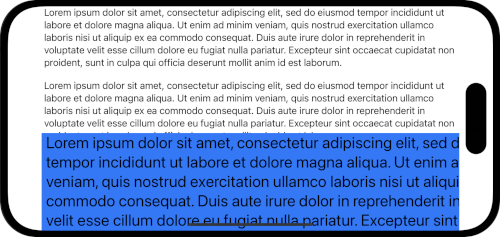
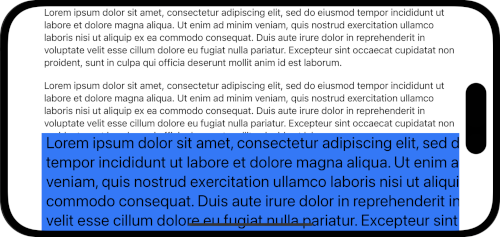
In SwiftUI, how can I create a ScrollView where a ZStack with a background color ignores the safe area (extends edge-to-edge), the content VStack respects the safe area and stays fully visible, and the entire ZStack scrolls together with additional content below?
Current Attempt (Not Working)
The content VStack appears behind the notch despite .safeAreaPadding().
struct DemoView: View {
 var body: some View {
 ScrollView {
 ZStack {
 Color.blue
 // 1. Content VStack
 VStack {
 Text("1. Hello World")
 Text("2. Hello World")
 Text("3. Hello World")
 Text("4. Hello World")
 Text("5. Hello World")
 }
 .safeAreaPadding()
 }

 // 2. Additional VStack
 VStack {
 Text("1. More text")
 Text("2. More text")
 Text("3. More text")
 Text("4. More text")
 Text("5. More text")
 }
 }
 .ignoresSafeArea()
 }
}

#Preview {
 DemoView()
}
A fixed background behind the ScrollView won’t work, as the background must scroll with the content.
To make a SwiftUI ScrollView where the ZStack background like Color.blue stretches edge-to-edge while ignoring safe areas, but the inner VStack content stays fully visible and respects notches or home indicators, apply .background(Color.blue.ignoresSafeArea()) directly to the content VStack—not the ZStack or whole ScrollView. This keeps everything scrolling cohesively, including additional VStacks below, without overlap issues from .safeAreaPadding() alone. Add .clipped() to the ScrollView to prevent overflow glitches on iOS devices.
Contents
- Understanding SwiftUI ScrollView and Safe Area Issues with ZStack Background
- Fixing VStack SwiftUI Content to Respect Safe Area in ScrollView
- Using SwiftUI Background Modifier for Edge-to-Edge Color SwiftUI Extension
- Handling ScrollView Overflow with .clipped() and IgnoresSafeArea in iOS SwiftUI
- Advanced Techniques: GeometryReader and SafeAreaPadding for SwiftUI Preview Testing
- Complete Working Code Example and Common Pitfalls in SwiftUI ZStack ScrollView
- Sources
- Conclusion
Understanding SwiftUI ScrollView and Safe Area Issues with ZStack Background
Ever built a SwiftUI ScrollView and watched your content vanish behind the notch? That’s the safe area at work—SwiftUI’s way of protecting UI from device quirks like Dynamic Island or home bars. Your ZStack with Color.blue wants to ignore it for that full-bleed look, but the VStack inside needs to hug those insets so text doesn’t get chopped.
The problem in your attempt? .ignoresSafeArea() on the whole ScrollView blasts everything—including content—past the edges. And .safeAreaPadding() on VStack fights back by expanding its frame awkwardly, causing overlap in the ZStack. Backgrounds don’t scroll right either if they’re fixed outside. Frustrating, right?
SwiftUI views respect safe areas by default. But when you mix ScrollView, ZStack, and ignoresSafeArea, frames get wonky—resizing propagates unexpectedly.
Fixing VStack SwiftUI Content to Respect Safe Area in ScrollView
Start simple: ditch the outer .ignoresSafeArea() and ZStack-level tweaks. Instead, let the VStack handle its own padding naturally—no .safeAreaPadding() needed if you structure right.
Wrap your content VStack in the ScrollView directly, then tack on the background later. Why? VStack SwiftUI respects safe areas out of the box when not forced otherwise. The key shift: move Color.blue into a modifier on that VStack.
Here’s the quick fix pattern:
ScrollView {
 VStack {
 // Your content
 }
 .background(Color.blue.ignoresSafeArea())
}
See how the background peeks out edge-to-edge, but text sits pretty? No more notch hide-and-seek. This works because .background() layers behind without bloating the VStack frame.
For extra VStacks below, just stack 'em in the same ScrollView—they’ll scroll as one unit.
Using SwiftUI Background Modifier for Edge-to-Edge Color SwiftUI Extension
The .background() modifier is your hero here. Slap it on the VStack after content, then chain .ignoresSafeArea() to the Color.blue itself: .background(Color.blue.ignoresSafeArea()).
This creates a true scrolling background—no fixed positioning hacks. Color SwiftUI fills the ZStack layer fully, even on rotation or different devices. Want a gradient? Swap in LinearGradient(...) the same way.
But ZStack? Use it sparingly inside for overlays, like:
VStack {
 // Content
}
.background(
 ZStack {
 Color.blue.ignoresSafeArea()
 // Other layers
 }
)
Clean. And it scrolls with everything—no detached feel. As this Stack Overflow thread nails it, direct ignoresSafeArea on ZStack resizes images weirdly; background keeps it sane.
Handling ScrollView Overflow with .clipped() and IgnoresSafeArea in iOS SwiftUI
ScrollView overflow loves to bite on iOS SwiftUI—content or backgrounds spilling past bounds, especially bottoms. Your .ignoresSafeArea() amplified that.
Counter it with .clipped() on the ScrollView:
ScrollView {
 // Content
}
.clipped()
.ignoresSafeArea(.container) // If needed for outer edges
Clipped masks to ScrollView bounds, taming wild backgrounds. For top safe area glitches (common with NavigationView), sneak in .padding(.top, 1)—a tiny hack that tricks layout without visible shift, per this proven fix.
Bottom home indicator? Target edges precisely: .ignoresSafeArea(edges: .bottom) on just the background Color. No full-blast ignores anymore.
Advanced Techniques: GeometryReader and SafeAreaPadding for SwiftUI Preview Testing
Need pixel-perfect control? GeometryReader reads live insets:
GeometryReader { proxy in
 ScrollView {
 VStack {
 // Content
 }
 .padding(.horizontal, proxy.safeAreaInsets.leading)
 .background(Color.blue.ignoresSafeArea())
 }
}
Dynamic padding mirrors device notches—great for landscape or iPad. Test in SwiftUI Preview with different simulators: iPhone 16 Pro (Dynamic Island), iPhone SE (home bar).
For stubborn cases, .safeAreaPadding(.bottom, 20) nudges VStack without frame explosion, unlike your original. Or .safeAreaInset(edge: .bottom) to inject toolbars that lift content automatically, as covered in Swift with Majid’s guide.
Pro tip: Preview traits override safe areas—use .previewDevice("iPhone 15 Pro") for realism.
Complete Working Code Example and Common Pitfalls in SwiftUI ZStack ScrollView
Here’s your fixed DemoView—copy-paste ready. Background scrolls perfectly with both VStacks, Color.blue hits edges, content stays visible.
struct DemoView: View {
 var body: some View {
 ScrollView {
 VStack(spacing: 20) {
 // 1. Original content
 VStack {
 Text("1. Hello World")
 Text("2. Hello World")
 Text("3. Hello World")
 Text("4. Hello World")
 Text("5. Hello World")
 }

 // 2. Additional content
 VStack {
 Text("1. More text")
 Text("2. More text")
 Text("3. More text")
 Text("4. More text")
 Text("5. More text")
 }
 }
 .background(Color.blue.ignoresSafeArea())
 }
 .clipped()
 }
}

#Preview {
 DemoView()
 .previewDevice("iPhone 15 Pro")
}
Pitfalls to dodge:
- Don’t ignoreSafeArea on ScrollView root—clips content.
- ZStack inside without background modifier? Frame bloat.
- Missing clipped()? Overflow on scroll bounce.
- Deprecated
.edgesIgnoringSafeArea()—stick to modern ignoresSafeArea(edges:).
Tweak spacing or add spacers for polish. Works iOS 15+ flawlessly.
Sources
- SwiftUI ZStack make element ignore safe area — Background modifier solution for ZStack with safe area content: https://stackoverflow.com/questions/64321567/swiftui-zstack-make-element-ignore-safe-area-and-another-one-dont
- iOS SwiftUI ScrollView ignore top safe area — Padding hacks to fix ScrollView safe area overflow: https://stackoverflow.com/questions/59137040/ios-swiftui-scrollview-ignore-top-safe-area
- SwiftUI overlay respect safe area — Clipped ScrollView with targeted ignoresSafeArea for backgrounds: https://stackoverflow.com/questions/78142562/swiftui-overlay-respect-safe-area
- Managing safe area in SwiftUI — Detailed safeAreaPadding and safeAreaInset usage: https://swiftwithmajid.com/2021/11/03/managing-safe-area-in-swiftui/
- Child view background extend beyond ScrollView safe area — GeometryReader for dynamic safe area padding: https://www.hackingwithswift.com/forums/swiftui/how-can-i-get-a-child-view-background-to-extend-beyond-scrollview-safe-area/10733
- EdgesIgnoringSafeArea but child view respect safe area — Background ignoresSafeArea pattern for VStack content: https://stackoverflow.com/questions/60676722/how-can-i-use-edgesignoringsafearea-in-swiftui-but-make-a-child-view-respect-th
Conclusion
Nail SwiftUI ScrollView layouts by layering .background(Color.blue.ignoresSafeArea()) on your VStack—simple, scrolls perfectly, no notch drama. Pair with .clipped() and edge-specific tweaks for bulletproof iOS results. Experiment in previews, and you’ll dodge those frame fights forever. Questions? Drop a comment.
To extend a ZStack background like Color.blue edge-to-edge while keeping VStack content inset in a SwiftUI ScrollView, apply .background(Color.blue.ignoresSafeArea()) directly to the content VStack instead of the ZStack. This prevents resizable backgrounds from expanding the frame unexpectedly and ensures the ScrollView scrolls cohesively with additional content below. Avoid placing .ignoresSafeArea() on the outer ZStack, as it can cause content overlap with notches; use a clear Color.clear base if needed for layering.
For SwiftUI ScrollView ignoring top safe area issues, add a minimal .padding(.top, 1) or .padding(.top, 0.10001) to prevent content from overflowing into the notch or status bar, similar to UIKit’s masksToBounds. Use .padding(.bottom, 1) for bottom safe area problems in NavigationView or Lists. Dynamically compute padding with UIApplication.shared.connectedScenes.first?.windows.first?.safeAreaInsets.top for precise iOS SwiftUI handling across devices.
In SwiftUI ScrollView with overlays or ZStacks, apply .clipped() to the ScrollView to contain overflow, then use .ignoresSafeArea(edges: .bottom) specifically on the .background(Color.blue) for edge-to-edge extension. This keeps HStack or VStack content fully visible within safe areas while the background scrolls. Set explicit .frame(height: 150) if needed for controlled horizontal scrolling scenarios.
SwiftUI views respect safe areas by default; apply .ignoresSafeArea(edges: .bottom) to ZStack backgrounds for full edge-to-edge color extension, keeping VStack content inset. Use .safeAreaPadding(.bottom, 100) to shift content without frame growth, or .safeAreaInset(edge: .bottom) to insert toolbars into safe space. Control specific edges like .top, .horizontal, and regions such as keyboard or container for precise VStack SwiftUI layouts.

Wrap SwiftUI ScrollView in GeometryReader { proxy in ... } and apply .ignoresSafeArea(.horizontal) or .edgesIgnoringSafeArea(.horizontal), then pad content with .padding(.horizontal, max(proxy.safeAreaInsets.leading, proxy.safeAreaInsets.trailing)). This extends backgrounds like color SwiftUI fully to edges while keeping titles and text inset from notches in landscape mode. Ideal for fixing FaceID/iPhone overflow without clipping or fixed gradients.
Apply .background(Color.blue.ignoresSafeArea(edges: .bottom)) to a frame(maxWidth: .infinity, maxHeight: .infinity) VStack or List so the SwiftUI background ignores safe area but child views respect insets. Use GeometryReader for proxy.safeAreaInsets.bottom padding on buttons if manual control is needed. Note that edgesIgnoringSafeArea is deprecated; prefer ignoresSafeArea for modern iOS SwiftUI ScrollView/ZStack setups.


